Who is the agent acting as when it calls this MCP tool?
The tempting answer is to authenticate the MCP client once and treat later tool calls as solved. That answer is not useless, but it is too vague to operate. MCP authentication verifies the identity behind an MCP client or user before an MCP server grants access to restricted tools and resources. In agent systems, auth also has to connect identity to scopes, authorization, approval, and trace evidence for each restricted tool call.
Direct answer
MCP authentication verifies the identity behind an MCP client or user before an MCP server grants access to restricted tools and resources. In agent systems, auth also has to connect identity to scopes, authorization, approval, and trace evidence for each restricted tool call.
The common mistake
The sharper operating question is:
Where this gate sits
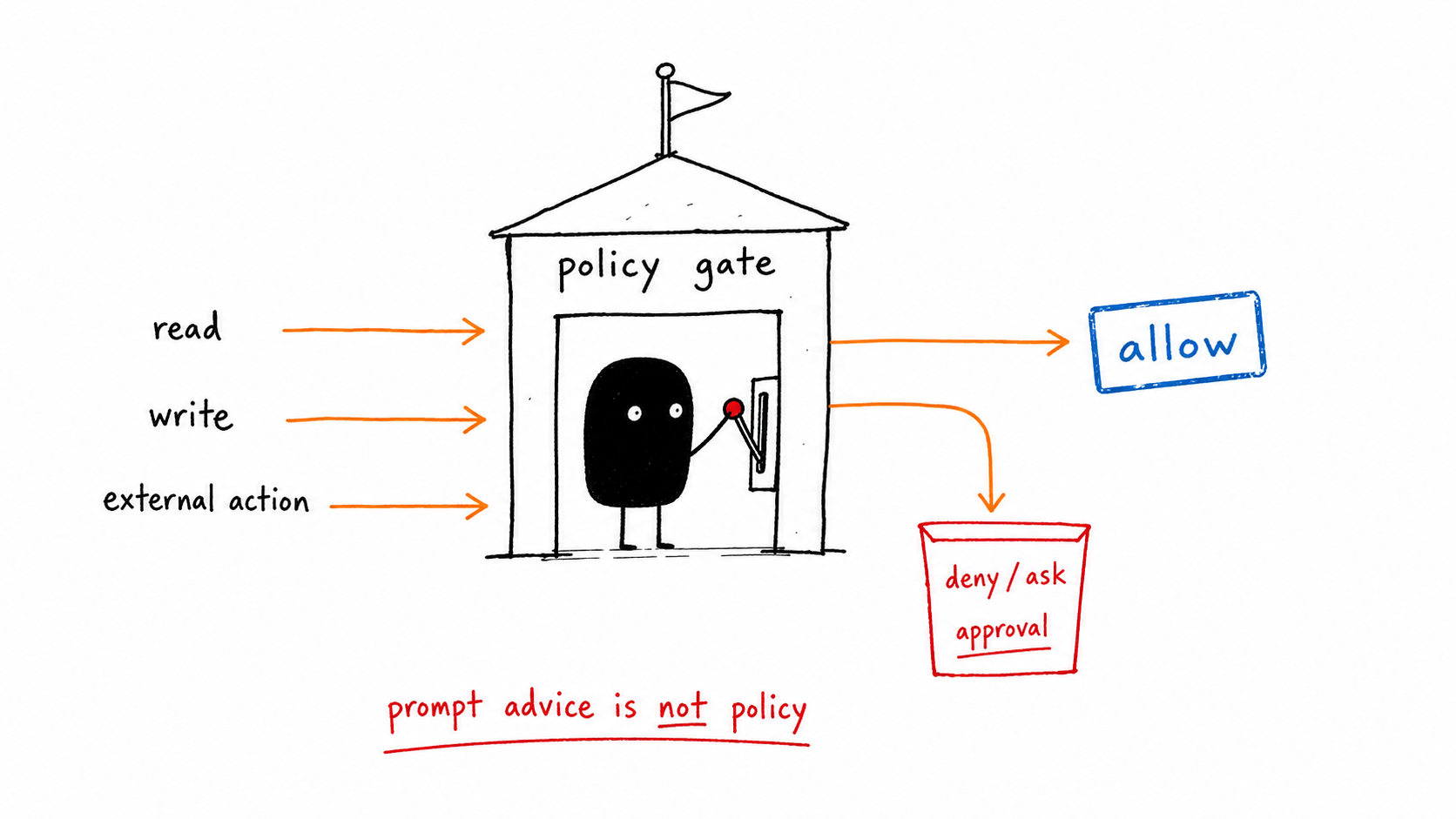
MCP authentication belongs at the server boundary and at every restricted invocation. It is not a splash screen; it is the control that turns tool descriptions into enforceable access.
Signals to capture
| Signal | What to inspect | Gate action |
|---|---|---|
| Client identity | Which app or agent connected | Record and validate |
| User/workspace identity | Who the agent acts for | Join to policy |
| Protected resource metadata | Resource and authorization server discovery | Use spec-aligned discovery |
| Scopes | Tool and resource permissions | Grant task minimum |
| Restricted call trace | Token audience, scope, approval, result | Log every sensitive call |
Running example
A research agent can read public documentation through MCP with a low-risk scope. The same agent cannot open a private CRM record or send a customer message until the server can identify the user, workspace, granted scope, and approval event behind that call.
Implementation checklist
- Use protected resource metadata and authorization server discovery instead of hard-coded trust.
- Keep user identity separate from client identity; agents often act on behalf of someone.
- Refuse broad tokens for narrow jobs.
- Do not pass through tokens that were not issued for the MCP server.
- Attach auth decisions to the trace so later investigation can see why a tool call was allowed.
What changes in production
In a demo, MCP authentication can look like a reviewer preference. In production, it has to become a branch in the agent runtime.
The branch is simple: if the system sees “Which app or agent connected”, it should record and validate. If it sees “Who the agent acts for”, it should join to policy. If it hits “The server cannot identify the end user or workspace”, the run should not continue as if nothing happened.
For MCP authentication, that is the difference between a content checklist and a control gate. The gate changes the next action while the run is still alive.
What to log in the trace
mcp_client_idresource_serverauthorization_serveruser_id_or_workspace_idscopes_grantedtoken_audience
Review packet
A reviewer, on-call owner, or future incident review should be able to answer three MCP authentication questions from the packet:
- What evidence triggered this MCP authentication gate?
- What action did this MCP authentication gate allow, deny, retry, or escalate?
- What would have happened if the MCP authentication gate had been absent?
For MCP authentication, the packet should point directly at the trace fields above and the specific signal row that caused the decision. If the packet only says “agent requested approval” or “policy failed,” it is not yet operational evidence.
When to escalate
- The server cannot identify the end user or workspace.
- A write tool uses the same scope as a read tool.
- The token audience does not match the MCP server.
- A risky action depends on a one-time login rather than an invocation-level decision.
Related control gates
- MCP Security: Review Checklist for Agent Tool Servers
- AI Agent Security: Threat Models for Tool-Using Agents
- Human Approval for AI Agents: When Agents Should Stop
- Agent Tracing: A Practical Schema for Tool-Using AI
- AI Agent Control Gates: Stop Bad Agents Before They Act
Frequently Asked Questions
What is MCP authentication?
MCP authentication verifies the identity of the client, user, or workspace accessing an MCP server. For production agents, the useful version ties identity to tool scopes, authorization decisions, approvals, and audit logs.
How is authentication different from authorization?
Authentication answers who is calling. Authorization answers what that caller may access or do. Agents need both because a valid caller can still request an unsafe tool action.
Should tokens be visible to the model?
No. Tokens and secrets should be brokered outside model context. The trace can record that a scoped credential was used without exposing the secret itself.
The Takeaway
MCP auth is not a login checkbox. It is the front door to an agent tool boundary, and every restricted call should carry identity, scope, and evidence.